

- 1,108

- Spain
Nope... Waiting for some components to arrive... 😢
Nope... Waiting for some components to arrive... 😢


I have deleted all the tags in exchange for tags that are more useful for me like using year and specific raceclass. Is there any overview or list, on what tags have certain functionality for the car.Have you checked if singleseater is used as a tag in the specific car?
View attachment 1403342
It prevents that AC thinks it´s a normal car with headlights being active.
Ah Edit, forget about, I read you already have that being in use.
I have deleted all the tags in exchange for tags that are more useful for me like using year and specific raceclass. Is there any overview or list, on what tags have certain functionality for the car.
And is it “single seater” or “singleseater” thats activates that functionality.
After having a look at this myself for compressing car skins and track textures I discovered that you may run into issues if a track texture resolution isn't a power of 2 e.g. 510x510 or 510x500. AC will just stall while loading the kn5 where the texture originally came from.There is a better compression than DXT5 for DDS files with less visual glitches. In paint.net it's called "BC7 (Linear, DX11+)". You should use this instead of "BC3 (Linear, DXT5)" und compare the results with the uncompressed file. The file size of the DDS will be the same as with DXT5, but you must ALWAYS save the DDS with mipmaps as AC can't create the mipmaps for the new format and the game will crash otherwise. But 21.3MB with mipmaps is better than 64MB for a 4K uncompressed DDS without mipmaps. Just test it.
Triple screen is hella taxing when enabled in extra fx. I just use extra fx on triples but single screen rendering with a fov of 27 to 30 dep on the car mod, looks good enough for me with minimal performance hit.I have a question to the ambient occlusion (Nvidia) in extra fx. With triple screen it costs me more than 40 fps, but the visual difference in cockpitview is often huge. Do you have the same expierence?
extra fx is not the problem, If it's just the activation of ambient occlusionTriple screen is hella taxing when enabled in extra fx. I just use extra fx on triples but single screen rendering with a fov of 27 to 30 dep on the car mod, looks good enough for me with minimal performance hit.
You could also try enable the amd fx superres or something under graphics adjustments to gain a bit more perf.
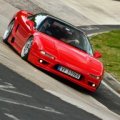


I don't have a fix, but just so that you know you're not alone, exactly the same here.Posted this on CSPdiscord also, but maybe you guys know too:
I've been trying to solve this problem for a while with no luck.
Running newest CSP and Pure (downgrading does not help)
Some car examples that it happens to is the Guerilla GT4 pack. Most Arch cars from his github(except the NSX)
i can hear the car idling but the ACS.exe window is dim and stop responding.
Is there a setting known to do this?
Thanks but what is the rest doing to the cars, from who did you get this info, or what is your source?"singleseater" and "openwheeler" work for these cars to delete the shadows of nonexistent wheelarches.


On both cars the AI stops after 50 meters or shifts gears up and down. No matter which trackNissan 300ZX GTS Pack
Now the Nissan 300ZX comes with two cars.
One is the Nissan 300ZX GTS (LM or IMSA) specs.
The other is the Nissan 300ZX JGTC (BETA) with "original" specs.
The 300ZX JGTC has the two original livery skins (finally)
Number 25 Bros Factory FedEx '96
Number 75 Team LeMans FedEx '97
New engine V8 NA specs with the JGTC regulations
with sound by ACFAN
Download Patreon
Coming soon on the GTplanet
View attachment 1403258View attachment 1403259


I can't seem to make that link work? Fails with a "decryption key invalid" error.Released : Honda NSX GT500 ´08
Author:F302
3D Model: Polyphony Digital
Texture Update : F302
Skins: F302
3d work:F302
tweaks and Lod´s ACTK
hope u enjoy the Car
ps : send feedback ,bugs ,missing things
tested on 0.2.5-preview1
PP filer PURELIFE EVO
View attachment 140352381.76 MB file on MEGA
mega.nz
Thanks but what is the rest doing to the cars, from who did you get this info, or what is your source?
Could be very interesting knowledge


yep try againI can't seem to make that link work? Fails with a "decryption key invalid" error.
Tried multiple browsers.
Edit: There's one too few characters in the link. Probably missed the last char in the copy-pasta.
That's the ticket. Thanks for another Super GT keeperyep try again

Any solution for this?Hello,
I have a question regarding AI. Is there any value in the ai.ini perhaprs that helps to keep them in the draft longer before starts to overtake? Or this one is controlled with the AI aggression more or less?

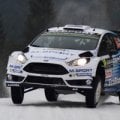

Thanks but what is the rest doing to the cars, from who did you get this info, or what is your source?
Could be very interesting knowledge
 github.com


@Racer63 You should be able to fix that with the car mirror config app from within the game...as shown.Hi everyone! How can I fix rear mirrors? When AI comes overtaking on the right, mirrors show the car coming on the left... On the other side of the track.


Ok I'll try that app. Thank you very much Kurt.@Racer63 You should be able to fix that with the car mirror config app from within the game...as shown.
View attachment 1403617
Thanks interesting info, strangely even car some modders did not know this. I will also put a warning message at the “how to remove tags” topic on Overtake forum.
Cars – About guessed configs
Configuration files for Assetto Corsa Custom Shaders Patch - ac-custom-shaders-patch/acc-extension-config


Thanks, I will look into itOn both cars the AI stops after 50 meters or shifts gears up and down. No matter which track


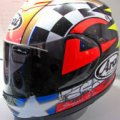

try a different PPF or downgrade version or update version of CM ?Anybody knows whats causes the strange mirror effects on rj-spa 1966 and how to get rid of them?
View attachment 1403707


Thanks, but using a different PPF doesnt make any difference. It appeares only on this track, so I think its track related.try a different PPF or downgrade version or update version of CM ?


Do you have "Draw grooves over track, but before dynamic entities" selected in Track Adjustments?Thanks, but using a different PPF doesnt make any difference. It appeares only on this track, so I think its track related.


