Any news regarding the 1999 cars?


could you make also a red or dark red one?Thanks for this beauty Peter,
if possible , please optimize it a little in terms of triangles in a next update, as-is I can't maintain a steady fps , without altering my settings , cause it's too taxing on the GPU...
View attachment 1321112
ps: here 6 extra skins I made for this one


Thank you very much for this free mod!
It drives great but i think the brakes are a bit low on the braking force. The RSS Versions needs nearly half the braking distance. i changed the force to 3300 which seemed more fitting, the RSS 1998 version still has a higher braking force. I wanted to give you more feedback for the physics but my wheel adapter broke unfortunately...
Some possible fixes regarding the 3D Model:
the intercooler model is peaking through the side of the car and the rear wing could use some more degrees, so its more leveled and not looking downwards.
View attachment 1321065View attachment 1321067

What beautiful track is this?

Ferrari 308 GTB(v1.3) by F40 LM Lover
It is Required CSP 1.76 or above Version.
But It has been updated on CSP 2.3 preview
1.Change Logs(v1.3)
1) Bugs are Fixed
-. Right Door's Map and Reflection are fixed.
-. Low/High Beams are seprated.
-. Head Lights were too bright.
-. Time of Clock was not accurated.
2) Rim Blurs are added.
3) CSP PBR Interiors.
2. Details
1) 3d Model
- Base model from Gran Turismo 7
. Editing and Optimizing works by Hijacked. He did really wonderful jobs and Hard works. Thank you to him!!!
- Engine Parts from The Crews
- Many Parts are made by me.
- Detailng and Adding/Changing Parts by F40 LM Lover.
2) Sound by Kunos (288gto)
3) Physics by VRDriving
4) Features
- Extra Animations and Lighting
. Left Door : Extra A
. Right Door : Extra B
. Motor Hood : Extra C
. Front Hood : Extra D
. Left Window Open/Close : Extra E
. Fog Lights : Extra F
. Fully Working Instruments and Interior Lights
5) Driver's Steer, Manual Shifting, Feet & Arms, buttons Animations by F40_LM_Lover.
3. Download Link is in the description of Video.


Anyone experience this issue in AC where the Ai car ahead gains speed when you are in its slipstream?
Race settings are 1 opponent with opponent strength set to 100%.
Top speed is suppose to be 319 but the Ai car #2 goes to 326! WTH?
When I switch view to car #2 the small Speedo is showing the Ai current speed and the big Speedo car #1 which
is in the slipstream of car #2.

Thanks for your work...I can't waitProgress update : All cars done, finishing per car physics. Set to release between this end of the month and 15 february.
View attachment 1321108
View attachment 1321111
View attachment 1321113
View attachment 1321115
View attachment 1321117
View attachment 1321118
Great package...now that you update the physics and some textures it will be perfect. Have you also thought about rain tires? Thank youFor the love of god please stop using that crime against humanity and use this instead
https://www.gtplanet.net/forum/threads/assetto-corsa-pc-mods-general-discussion.307899/post-14026877
I have all your stuff installed already. Excellent work by the way waiting for your next release.For the love of god please stop using that crime against humanity and use this instead
https://www.gtplanet.net/forum/threads/assetto-corsa-pc-mods-general-discussion.307899/post-14026877


Skipping "10 years", now the "Champions Career Mode" is in the year 1960.
The first race of this long season (sportscar races, f1, formula Indy, Nascar...), is the 1000km of Buenos Aires.
This time I chose the Brazilian duo, Celso Lara Barberis / Christian "Bino" Heins with the Maserati 300s.
After the race, I noticed that the performance of the "AI" Porsche 718 was a little lower, I'm going to try to adjust it better (because when testing both the Ferrari 250TR, Maserati, Maserati Birdcage and Porsche 718, I achieved similar times).
MASERATI 300s C.Barberis / C.Heins - onboard - Part 1
MASERATI 300s - TvCam - Part 2


I have all your stuff installed already. Excellent work by the way waiting for your next release.
I use that mod because of the blown diffuser sound mod and despite its low top speed its actually very fast on some circuits.
The Mod is by Luca Ponz.
I cut a few corners here and there using the keyboard here but a 1:15 at Hockenheim is pretty fast.
Turn up the volume and listen to that glorious blown diffuser sound.
Yeah next update will have rain tyres.Great package...now that you update the physics and some textures it will be perfect. Have you also thought about rain tires? Thank you
Seems newer CSP does not apply on your system! Mostly a case if the dwrite.dll is write-protected Try to delete the drwite.dll and install again...A problem needs guys' help, About the CSP, after loading Csp 0.2 and newer, the sunlight angle, grass and tree colour don't change by date and season ang more, what's wrong with it?
View attachment 1320932

seems like stuff you can tweak via ai_hints.ini and the [DANGER_0] command.Hi everyone,
I once again need your help, so here it goes: I am trying to record new AI lines (for the brand new Zandvoort 2023 mod) and I managed to make it go around 2 seconds faster.
The problem is that with the new lines the AI will not take the track limits in account anymore, resulting in many accidents when going next to each other. They will -for example- hit the inside wall at turn 1 when fighting for position. The AI car being on the outside is somehow the one taking the normal line. And I am not even talking about Lap 1 here, but the whole race.
Also, one AI car even hit the wall before turn 1, somewhere around 100m before the curve, even though it had all the space in the world. I noticed something similar when I tried the same thing at Monza a couple of weeks ago.
How do I make the AI take the track limits in account? Or are my lines the reason that happens? Maybe I have slightly exceeded the sidelines, which at some places are not exactly where they should (wide curbs and at some corners the sidelines are a bit off)?
I would appreciate any help. Thanks in advance.


Ferrari 308 GTB(v1.3) by F40 LM Lover
It is Required CSP 1.76 or above Version.
But It has been updated on CSP 2.3 preview
1.Change Logs(v1.3)
1) Bugs are Fixed
-. Right Door's Map and Reflection are fixed.
-. Low/High Beams are seprated.
-. Head Lights were too bright.
-. Time of Clock was not accurated.
2) Rim Blurs are added.
3) CSP PBR Interiors.
2. Details
1) 3d Model
- Base model from Gran Turismo 7
. Editing and Optimizing works by Hijacked. He did really wonderful jobs and Hard works. Thank you to him!!!
- Engine Parts from The Crews
- Many Parts are made by me.
- Detailng and Adding/Changing Parts by F40 LM Lover.
2) Sound by Kunos (288gto)
3) Physics by VRDriving
4) Features
- Extra Animations and Lighting
. Left Door : Extra A
. Right Door : Extra B
. Motor Hood : Extra C
. Front Hood : Extra D
. Left Window Open/Close : Extra E
. Fog Lights : Extra F
. Fully Working Instruments and Interior Lights
5) Driver's Steer, Manual Shifting, Feet & Arms, buttons Animations by F40_LM_Lover.
3. Download Link is in the description of Video.
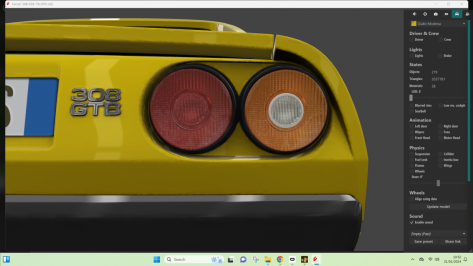
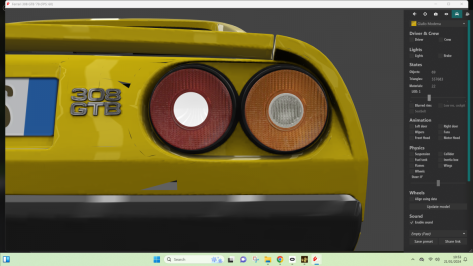
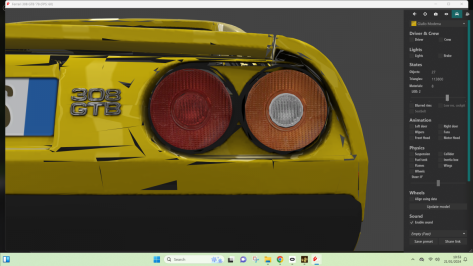
seems like stuff you can tweak via ai_hints.ini and the [DANGER_0] command.
look where the AI starts breaking when they try the silly overtake. that's when the [DANGER_0] command (and the left/right indications) has to do the magic.


here you gocould you make also a red or dark red one?
Confirmed as fixed - thanks!Sorry! Guys It had some issue for LOD_B.
But it has been fixed at 21st Jan, 2024, 20:43 in Eastern Asian Time.
Link has been updated.
if you have issue on Rear Lights of LOD_B, Please Re-Download!
Thank you for positive feedback to MASCOTT


La Morra GP v1.01

View attachment 1320676
Fictional circuit in Italy.
Conversion from GTR2.
-CSP recommended
-36 pit/start
-AI, cam
Credits & Thanks;
rFactor Original Track by Relesys
GTR2 Converted by Neel Jani
-I tried to contact them but was unable to. I thank them for the work they do.
AC Converted by @shi (shin956)
Billboard textures by @Masscot
flying stuff by @Masscot120no 4x1 Lattice-Frame Adboard Textures, inc blank & NM
120no lattice-frame adboard textures in standard 4x1 aspect ratio for track modders and skin makers. A blank background (so you can make your own boards) and normal map are also included. DXT1 DDS format with mip maps, so should not blur. Credit...www.racedepartment.com
logo.png and sections file by @Fanapryde
Rock texture by @Breathe
pit_lane.ai by TITI
Crowds texture by @Kniker97
cameraman and some textures by kunos
Test and Feedback by @Masscot , @Breathe
Download (mediafire)
Enjoy.
;;;;;;;;;;;;;;;;;;;;;;;;;;;;;;;;;;;;;;;;;;;;;;;;;;;;;;;;;;;;
v1.01 changelog;
Fixed flickering of the Goodyear tire bridge. (Thanks @jac0 for the report.)

Did you record new sidelines? When you create a new ai line for a track, it also creates new sidelines, which in my experience are never very good. I'd suggest having a look at your left and right lines and consider re-recording those. My guess is your current ones are a mess.Hi everyone,
I once again need your help, so here it goes: I am trying to record new AI lines (for the brand new Zandvoort 2023 mod) and I managed to make it go around 2 seconds faster.
The problem is that with the new lines the AI will not take the track limits in account anymore, resulting in many accidents when going next to each other. They will -for example- hit the inside wall at turn 1 when fighting for position. The AI car being on the outside is somehow the one taking the normal line. And I am not even talking about Lap 1 here, but the whole race.
Also, one AI car even hit the wall before turn 1, somewhere around 100m before the curve, even though it had all the space in the world. I noticed something similar when I tried the same thing at Monza a couple of weeks ago.
How do I make the AI take the track limits in account? Or are my lines the reason that happens? Maybe I have slightly exceeded the sidelines, which at some places are not exactly where they should (wide curbs and at some corners the sidelines are a bit off)?
I would appreciate any help. Thanks in advance.
Did you record new sidelines? When you create a new ai line for a track, it also creates new sidelines, which in my experience are never very good. I'd suggest having a look at your left and right lines and consider re-recording those. My guess is your current ones are a mess.
Toyota GR Corolla Morizo Edition 2023 Public Release!!!!
Download:https://sharemods.com/2om1n3ykph7s/gr_corolla_me_2023_101creative.zip.html
-AO inside and out
-Realistic Dashboard
-CSP Settings
-Physics
-Working wipers
-Self Ligth
-Physics By VRDRIVING
-Panoramic session Start config Daniel Nogal
-Dashboard Help RVZ!
-Beta testing and help ,@norms,@Mascot,and others
View attachment 1320798View attachment 1320799View attachment 1320801View attachment 1320802
You need the ai line helper app, which you can get from Race Department. Then I would suggest doing a google search for 'assetto corsa ai line helper app'. There will be a bunch of youtube videos that come up in the results on how to use the app.They definitely are a mess. I can see them changing after the end of the recorded AI line lap....
How do you record the sidelines?
thank you so muchhere you go
View attachment 1321308
ps: know you can easily do this yourself with CM Showroom - Paintshop (then slide "Modify current" to "Save as new" , and you can choose your own colors... without chameleon colors ofcourse - that's where an ext_config.ini file comes in, but you can copy that from another skin folder and change the color codes and experiment! use regular Showroom to see the colorchanges instantly when you save the ini file.)