

- 79

- Belarus
They have several paid mods on their site lolYou are wrong. Everything free.
They have several paid mods on their site lolYou are wrong. Everything free.


I'm having the same problem and I've tried everything to try and get the app to work. I've uninstalled it and redownloaded, manual install, CSP 2.4 preview, CSP 2.3, different types of cars, different types of tracks, enabled all extended physics in CSP settings and the extended physics on the race now screen in CM. I even tried old versions of the app, from 2.6, 2.7 and 2.8. Also tried starting the AI on different compounds, pitting them on different laps, ect. Nothing I do seems to work for me.Everyone is okay with the AI pit App by Nuzzi? For me the last updates don't work... (the first one did)
It's strange because I can change AI tyres at the start, so the app seems ok, but then the AI never stops for the pit... never
It's just me?





there's a fix from @racinjoe013 somewhere if you search this topic. To be precise HEREHello GTP People,
First post here, so let me start by saying Hello 🖐️ Thanks for all your wonderful contributions! AC Content and banter...
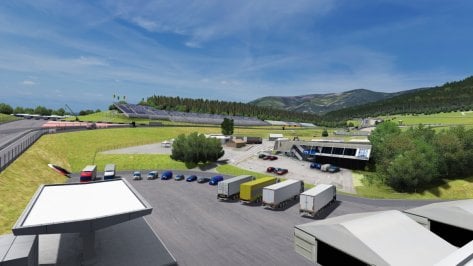
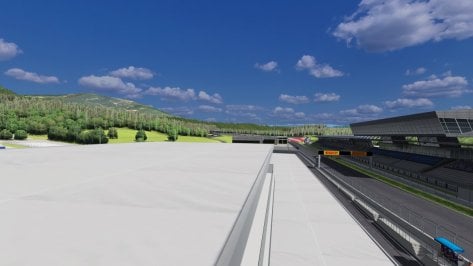
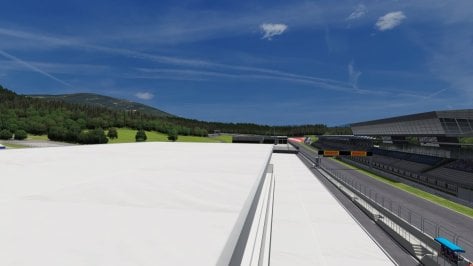
After this weekend's F1 I just had to drive a couple of laps on the Red Bull Ring. The only track in my collection that for some reason just isn't looking as good as others. So I've been avoiding it.
Here's how it looks when I load a session. To me it looks horrible: the grass, the trees, the bushes, every texture
View attachment 1369192
When I disable the track config (the one CSP downloads from Github), it looks like this, which seems more better-er
View attachment 1369193
So today I tried a couple of things.
I started by commenting out all of the conditions in the track config and step-by-step uncomment them. I quickly found which condition does what. But, then I came to the conclusion that all the summer conditions turn a good looking track into a less good looking track.
Surely, I am mistaken here. It can't be that all the conditions are wrong
And then, I found that when I start a session, it looks horrible. Then when I change the time/day/month/year in Pure, everything is how it should look.
View attachment 1369194View attachment 1369195
Anybody who can shed some light on what's going on here?
Funny this should come up now. I ran some laps on the track after watching the F1 race and realized when I did my mod for this track, I didn't know how to add cameras to the TV truck displays. Now I do after doing them for Portland and Imola and i'm considering taking the time to add them to the base track as well. I think the Pyyer mods already have them for the F1 layouts, but the base track doesn't. I think all they say is Rolex.there's a fix from @racinjoe013 somewhere if you search this topic. To be precise HERE
Thanks for the suggestion @CrisT86!there's a fix from @racinjoe013 somewhere if you search this topic. To be precise HERE
I don't think i've understood your problem to be honest. About what has been removed i don't know, my config is a work made in collab with others, so maybe something has been changed since i did it. My original file is still as i made it (and updated accordingly to the update done by RJ)Thanks for the suggestion @CrisT86!
I have tried the skin and extension from yourself & @racinjoe013 and that seems to solve the loading problem. I've noticed that the offending MATERIAL_ADJUSTMENT lines with the condition SEASON_SUMMER have been removed from the communally adapted config.
I would still like to understand why the original CSP config fails to load correctly on initial load, but works perfect after a date change in Pure planner. And it only happens with the Kunos Red Bull Ring.

About the Miata spec by redSerpente 1.7 updated with ACTK's lods and therefore 1.8,Follow the instructions regards the ai_default hack on the website.
Weirdly other miata mods do this too when you use AI.
I am amazed it took this long for a racing old school MX 5.
Skins are pretty cool and work on about every old miata mod i have.
I don't have an answer to your loading question. Honestly, I haven't used the CSP config since I made the initial version of my mod in 2022. And i've never had an issue with the track looking incorrect until I change the date. I guess I could disable my mod and try it the old CSP way and see what happens just to help you figure out what might be wrong.Thanks for the suggestion @CrisT86!
I have tried the skin and extension from yourself & @racinjoe013 and that seems to solve the loading problem. I've noticed that the offending MATERIAL_ADJUSTMENT lines with the condition SEASON_SUMMER have been removed from the communally adapted config.
I would still like to understand why the original CSP config fails to load correctly on initial load, but works perfect after a date change in Pure planner. And it only happens with the Kunos Red Bull Ring.


Hi, I'm pleased to announce the public release of my 2nd track, Grand Valley Speedway for Assetto Corsa.
36 pits, Decent AI, Grass and Rain fx, 4 layouts (complete, east and their respective backs)
You can download it right now for free on my patreon (pinned post), link in the video description.
By the way, next Sunday I'll be doing an online track day, I haven't decided the time but I'll soon announce it on patreon along with the details (obviously free post), so if you want to participate stay tuned.
If you like what I do and want to support me you can subscribe to some of the levels and get benefits like early access to tracks in development, voting on the next track, or billboards with your names/logos.
Finally here is the video:

There are some tracks by kunos, which have too bright textures for the "new graphics". You can use the AC colors corrections pack from the Sol/Pure discord Server, or like already mentioned, you use texture skins from other modders.Hello GTP People,
First post here, so let me start by saying Hello 🖐️ Thanks for all your wonderful contributions! AC Content and banter...
After this weekend's F1 I just had to drive a couple of laps on the Red Bull Ring. The only track in my collection that for some reason just isn't looking as good as others. So I've been avoiding it.
Here's how it looks when I load a session. To me it looks horrible: the grass, the trees, the bushes, every texture
View attachment 1369192
When I disable the track config (the one CSP downloads from Github), it looks like this, which seems more better-er
View attachment 1369193
So today I tried a couple of things.
I started by commenting out all of the conditions in the track config and step-by-step uncomment them. I quickly found which condition does what. But, then I came to the conclusion that all the summer conditions turn a good looking track into a less good looking track.
Surely, I am mistaken here. It can't be that all the conditions are wrong
And then, I found that when I start a session, it looks horrible. Then when I change the time/day/month/year in Pure, everything is how it should look.
View attachment 1369194View attachment 1369195
Anybody who can shed some light on what's going on here?
I removed the the shader adjustments in the community config. Because it is just better for this track and all other tracks, that the changes are made on the texture. So the idea behind is:Thanks for the suggestion @CrisT86!
I have tried the skin and extension from yourself & @racinjoe013 and that seems to solve the loading problem. I've noticed that the offending MATERIAL_ADJUSTMENT lines with the condition SEASON_SUMMER have been removed from the communally adapted config.
I would still like to understand why the original CSP config fails to load correctly on initial load, but works perfect after a date change in Pure planner. And it only happens with the Kunos Red Bull Ring.


Thanks for your work. AppreciatedMissing Skins for 1995 DTM Season "AMG Mercedes Team Persson Motorsport #22 Uwe Alzen"
"AMG Mercedes Team Ruch-Motorsport #24 Gerd Ruch"

Welcome aboard 👋First post here, so let me start by saying Hello 🖐️ Thanks for all your wonderful contributions! AC Content and banter...


Hi, I'm pleased to announce the public release of my 2nd track, Grand Valley Speedway for Assetto Corsa.
36 pits, Decent AI, Grass and Rain fx, 4 layouts (complete, east and their respective backs)
You can download it right now for free on my patreon (pinned post), link in the video description.
By the way, next Sunday I'll be doing an online track day, I haven't decided the time but I'll soon announce it on patreon along with the details (obviously free post), so if you want to participate stay tuned.
If you like what I do and want to support me you can subscribe to some of the levels and get benefits like early access to tracks in development, voting on the next track, or billboards with your names/logos.
Finally here is the video:


can someone maybe share it pls? i cant find itdo we maybe have a wiper config for pm3dm´s e36 stw?


Afaik there is none…can someone maybe share it pls? i cant find it


oh, i see. i thought that the like someone gave at my question at first was a yes and i found a modded version of that car with a very nice interior. i will post some screenshots laterAfaik there is none…
The interior isn’t finished either, though somebody added one and the author wasn’t pleasd at all. As for now I think there will be no progress for this car. I hope I’m wrong though…
I have that version (if it is the same) but the interior is nowhere near to how it could/should be, it’s basic to say the least.oh, i see. i thought that the like someone gave at my question at first was a yes and i found a modded version of that car with a very nice interior. i will post some screenshots later

I am checking by disabling various CSP extensions but I still can't find the cause of this flickering.I drove down that same stretch over and over and could not duplicate what you posted in your animated gif. I could duplicate the light flickering all over the track that everyone else mentioned and that is what my fix was intended for. Personally, I don't think my lights mod has anything to do with what you are seeing, but I could be wrong.


I was wondering - is there any point to having DRS in AC, if all cars can use it all the time?
Are there any apps, tweaks or hacks, that can enable authentic DRS detection and activation?
 www.overtake.gg


Hi, I'm pleased to announce the public release of my 2nd track, Grand Valley Speedway for Assetto Corsa.
36 pits, Decent AI, Grass and Rain fx, 4 layouts (complete, east and their respective backs)
You can download it right now for free on my patreon (pinned post), link in the video description.
By the way, next Sunday I'll be doing an online track day, I haven't decided the time but I'll soon announce it on patreon along with the details (obviously free post), so if you want to participate stay tuned.
If you like what I do and want to support me you can subscribe to some of the levels and get benefits like early access to tracks in development, voting on the next track, or billboards with your names/logos.
Finally here is the video:


I don't think i've understood your problem to be honest. About what has been removed i don't know, my config is a work made in collab with others, so maybe something has been changed since i did it. My original file is still as i made it (and updated accordingly to the update done by RJ)
Thanks for your replies, gents!I don't have an answer to your loading question. Honestly, I haven't used the CSP config since I made the initial version of my mod in 2022. And i've never had an issue with the track looking incorrect until I change the date. I guess I could disable my mod and try it the old CSP way and see what happens just to help you figure out what might be wrong.
I would like to comment on something you mentioned above about all the conditions being wrong. I wouldn't say 'wrong' is the right way to term it. Just more of a difference in opinions on how things should look. For instance, i've seen some CSP configs that turn the grass or pine trees orange in the fall. Maybe there are places in the world where that happens, but i've never seen it. So to me it's wrong, but is it really wrong or just something i've never experienced where I live in the US.
"Thanks!Thanks for your work. Appreciated
Welcome aboard 👋
Wow, Thanks very, very much for your reply @Peter Boese!There are some tracks by kunos, which have too bright textures for the "new graphics". You can use the AC colors corrections pack from the Sol/Pure discord Server, or like already mentioned, you use texture skins from other modders.
I removed the the shader adjustments in the community config. Because it is just better for this track and all other tracks, that the changes are made on the texture. So the idea behind is:
The original texture already has too much sunlight baked into. But this is not good if we try to put a realistic sunlight additional to it. So we edit the textures and trying to substract the baked sunlight.


I guess naming the object DISC_LF is a no go too?DISC_LF=g_Disc_LF
DISC_RF=g_Disc_RF
DISC_LR=g_Disc_LR
DISC_RR=g_Disc_RR
FRONT_MAX_GLOW=60.0
REAR_MAX_GLOW=29.0
LAG_HOT=0.985
LAG_COOL=0.965
But I guess then the name of DISC_LF matters, i'll rename all those disc to match up with the data files (and for the lods too sigh)


This can happen if there is an incorrect value in car.ini in the lineAnyone have any ideas what could cause this?
we take the names of objects from hereI guess naming the object DISC_LF is a no go too?


