

- 792

- Australia
Thanks guys for responding.


Piranema Winter Test Track v1.3
View attachment 1228889
Fictional circuit in Brazil.
Conversion from Grand Prix 4.
-CSP recommended
-32 pit/start
-AI, cam
Credits & Thanks;
Original Track by Gildoorf Rozencrantz, Ruboy, PrBlanco, Ricardo Lampert
-Thank you for gave me permission (Gildoorf)
AC Converted by @shi (shin956)
AI, sidelines and ai_hints.ini by IMEAN
.lua and font base by @gunnar333
ext_config by @slider666
logo.png by @Fanapryde
Crowds texture by Kniker97
some objects and textures by kunos
Test and Feedback by @Fanapryde , @slider666 , @Breathe , @Mike08, @twobegreen, @Masscot
Enjoy.
;;;;;;;;;;;;;;;;;;;;;;;;;;;;;;;;;;;;;;;;;;;;;;;
v1.01 changelog;
-Added new church building. https://www.cgtrader.com/free-3d-models/exterior/historic-exterior/old-little-church
(Thanks for the report by @twobegreen .)
-Smoothed edges of road surface and kerb.
-Fixed floating buildings.
(Thanks for the report by @Masscot .)
-The AI line was broken, so it was re-created.
-Other minor fixes.
v1.1 changelog;
-Extended pit lane entrance. (Thanks to Meatfraiche for the report.)
-Some textures were upscaled with AI.
-Fixed tree wall mapping.
-Changed background.
3D mountains from Chuck_CG's Landscape pack.
-Added Summer Mountain Skin.
Landscape pack
6 Terrains, 5 displacement maps(1k, 2k)4k PBR textures(color, roughness, normal)open with blender 3.3+Increase subdivision levels for more details.in the images below you can see the levels at 5 then at 0My Portfolio https://www.artstation.com/chuckcgchuckcg.gumroad.com
-Updated preview.
v1.2 changelog;
New AI, sidelines and ai_hints.ini by IMEAN. (Thanks!)
Changed crowd textures by Kniker97. (Thanks)
Added garage doors that open and close.
Added grid and s/f line meshes.
Updated billboard mapping and textures.
Updated ext_config.ini.
v1.3 changelog;
Added white lines to pit lane. (Thanks Perico Lospa for the suggestion.)
Updated kerb texture.
Updated ext_config.ini.
Other minor fixes.


During my long drawn out relationship with custom shadow tweaking, the conclusion about increased resolution was the most revelatory. I have ended up on 4096 but have had trips into the two (not recommended) resolutions with good results.That does kind of help to deconstruct things. I think.
From this text...
... it seems that the first value was the distance in metres that the highest-quality shadow would be rendered (then cascading down to the second mid-quality split then the third lowest-quality split), which Kunos had at 1.3m but Polyphony Digital set at 25m.Code:; Shadow cascades for interior cameras. unfortunately, with only three splits, ; not much can be done, so if you want to increase quality or distance for shadows ; outside, you can go full Gran Turismo and set it to something like 25, 75, 200 ; (that game has incredibly bad interior shadows, but with dark interiors, it’s not ; really noticeable). Also, if needed, original Kunos values are 1.3, 80, 250. INTERIOR_SPLIT=1.3, 40, 200 ; Distances for interior; text; hidden with AUTOMATIC_SPLITS
So, with a beefy PC you should be able to set the first split distance quite high and get (probably totally unnecessarily) cockpit-quality shadows off into the environment at whatever distance you set. But this only seems to work if you have Custom Shadow Matrices ticked, and even then results aren't great, and cockpit shadows flicker. Seems I also need to have shadow resolution set to 4096x4096 in AC video settings toavoidreduce shadow banding in the environment.


Thanks, I'll try those.During my long drawn out relationship with custom shadow tweaking, the conclusion about increased resolution was the most revelatory. I have ended up on 4096 but have had trips into the two (not recommended) resolutions with good results.
FWIW, which is very little when it comes to the dark arts of CSP shadows, the splits I have settled on (for now) are 1.3, 90, 250. Fourth cascade active and set to 2500m.

I have been having the same issues. Apart from rolling back to the last csp build i have found another setting that improves it for me. It kinda goes the opposite way with shadow res. I reduced the overhang multiplier to minimum 50%. Seems to soften the shadow and smooth things up for me. Lets put it this way, it is not so obvious to me since i did this. Oh and look direction = do not use in VR is helping i feelThanks, I'll try those.
At 4096 or higher?
Also, are all other Smart Shadow tick boxes at defaults?
These shadows have been driving me mad for a few days now. I can get them to a good place EXCEPT for striped shadow banding immediately in front of the car from cockpit view.
I was even starting to get decent results with automatic splits, apart from this one issue.
Edit: those stripes in front of the car are still there with 8k shadows... they're just thinner lines, closer packed. But still very visible.
Here's what I mean. Looks worse in action in the Reverb G2 HMD, and hard to see in a static image.
Seems to get worse the lower the sun angle


all the pictures i seen it looked blackI guess you don't like the bright blue seat...
But the real one is (partly) blue too, be it a bit on the darker side:
View attachment 1419237

Yes at 4096. Everything else enabled as default except for look direction which is set to don't use in VR.Thanks, I'll try those.
At 4096 or higher?
Also, are all other Smart Shadow tick boxes at defaults?
These shadows have been driving me mad for a few days now. I can get them to a good place EXCEPT for striped shadow banding immediately in front of the car from cockpit view.
I was even starting to get decent results with automatic splits, apart from this one issue.
Edit: those stripes in front of the car are still there with 8k shadows... they're just thinner lines, closer packed. But still very visible.
Here's what I mean. Looks worse in action in the Reverb G2 HMD, and hard to see in a static image.
Seems to get worse the lower the sun angle.
View attachment 1419318
Thanks, will test and report back.I have been having the same issues. Apart from rolling back to the last csp build i have found another setting that improves it for me. It kinda goes the opposite way with shadow res. I reduced the overhang multiplier to minimum 50%. Seems to soften the shadow and smooth things up for me. Lets put it this way, it is not so obvious to me since i did this. Oh and look direction = do not use in VR is helping i feel
look direction = do not use in VR set too as it was causing shadow flickering in the cockpit, but that seems to have been resolved so I have it active now. Not even sure what it does to be honest. Like most CSP things you need a crystal ball, a Rosetta stone, a time machine and a degree in rocket surgery just to work out what a tickbox might do, maybe..

Im my experience I have tried to play with making existing walls (1WALL_?) flexible, bouncy etc. It was possible to make these non-colideable via CSP config (actually extended track physics). Technically WALL is in a "global surfaces.ini" just like ROAD, GRASS and SAND. I think you would need to have a colideable mesh, in AC is any mesh named with a prefix numeral, not in any suface definition in order to change it. Likely it is preferable to have a non-collide mesh that can then be defined using extended track physics such as detailed here and hereI know sod all about track edits, so sorry if this is a daft question, but is there a way to apply that to tracks with solid bales if those aren't mentioned in the surfaces.ini file?


It was worth trying, but as soon as I remove the pctm version, the ACL stops working...
- create a new folder named "data_override" inside "ac_legends_gtc_tvr_griffith_200\extension"
- create a new text file with notepad and name it "lods.ini"
- paste the following lines
[COCKPIT_HR]
DISTANCE_SWITCH=8
[DRIVER_HR]
DISTANCE_SWITCH=25
[LOD_0]
FILE=tvr_griffith_200.kn5
IN=0
OUT=20
[LOD_1]
FILE=tvr_griffith_200_LOD_B.kn5
IN=20
OUT=60
[LOD_2]
FILE=tvr_griffith_200_LOD_C.kn5
IN=60
OUT=200
[LOD_3]
FILE=tvr_griffith_200_LOD_D.kn5
IN=200
OUT=1500
You can follow a similar procedure for Alfa Romeo Giulia TZ2.
You have to edit also "hide_plate.ini" in a similar way.
NOTE: this car for now doesn't work. It gives an encryption error.

Updated just the Spa 1966 track to version 1.05. Use the link in the quote above to get the update. It's kind of a test version just to get some feedback.Spa Vintage Track Updates:
These are my updates to all three versions of the Spa Vintage tracks. They are all full stand alone tracks because it was suggested that I do it this way instead of config\track skin mods.
All versions now have a vao patch, animated flags, working clock tower and new grass and tree textures. They also have two additional track skins that get a progressively bluer tint and less saturation. The skins also have only the files I altered from the original so you can edit them to make a skin that fits your liking. There are also new ext_configs for each track that add seasonal changes, some shader adjustments and a few other things.
Explanation about each one so you know which one to download. They each represent a specific version of the track:
Spa-Francorchamps 1938:
Spa-Francorchamps 1938
-- Based on the Spa_Faux_Pre_War version. All credits for the track go to Legion.
-- Additions include all things listed above plus removal of floating flag poles that had no flags and scaling of flag poles that were floating off the ground. Plus I added collision physics to most of the haybales. Some I left without to help with AI behavior. All other things about the track are the same as the original.
Spa-Francorchamps 1966:
Spa-Francorchamps 1966
-- Based on the Spa_1966 version. All credits for the track go to the Reboot Team.
-- Additions include all things listed above plus collision physics to most haybales. Some I left without to help with AI behavior. Also included the Spa 1966 AI done by Parri. The original AI is still included in the ai_original and data_original folders. Just rename them to ai and data to revert back to the original AI behavior. All other things about the track are the same as the original.
Spa-Francorchamps 1934 & 1966:
Spa-Francorchamps 1934 & 66
-- Based on the Spa_THR version. All credits for the track go to the Reboot Team and Waffles for the THR updates.
-- Additions include all things listed above plus a new AI line for the 1934 layout done by me. The original AI was unusable. It was my first attempt at an AI line so don't expect perfection. All other things about the track are the same as the original.
Please point out any and all mistakes. I'm sure there are a few. Was kind of hard managing three versions of the same track. I was never sure if I made the same changes on all three tracks.
View attachment 1216445

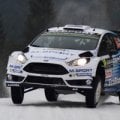
Regarding AC Legends GTC 60s v1.2, does anyone know, if the Mercedes 300sl and Ferrari 250 GT SWB are for some reason significantly slower than other cars, although their power/weight ratio is approximately the same, is that how it should be?


Why would you even delete an official Kunos-made car ? You've paid for it !Maybe stupid question so pardon me but is the Kunos GT40 and the GT40 MK1 of the latest WSC pack the same car (I think about to delete either the kunos or the bazza one, for disc-space reason)?


It works fine for me! Did you copy the kn.5 files from the pctm version?It was worth trying, but as soon as I remove the pctm version, the ACL stops working...
View attachment 1419325
😬


It's a different model made by HSS, the Kunos is a late 60s Mk 1 which is different but both Historically important in their own way. I renamed them like this if any help;Maybe stupid question so pardon me but is the Kunos GT40 and the GT40 MK1 of the latest WSC pack the same car (I think about to delete either the kunos or the bazza one, for disc-space reason)?


The mod description states that "For racing/BoP purposes the 6 cylinder engine is swapped for the 300SLR straight 8 engine"The 300SL and the250 GT SWB are the previous gen of GT cars, even if they have the same ratio, IRL they were slower
Language barrier, i need a pic, but i think i know what you're talking aboutOh.. & if someone finds a solution for the "ghosting stripes" on tarmacs, please post the solution! It drives me crazy, to the point that i can't play the game! Thanks!

Between the "stop" signs, if that's visible! It's pretty obvious when you're driving though!Language barrier, i need a pic, but i think i know what you're talking about
Are you able to work out why the dirt/smudges on Cyril Cherry internal windscreens always looks like little hard-edged semi-transparent stickers when driving into the sun?Alright, I'll not touched it any further but it is in a good place. Decals aren't 100% accurate but I won't bother, it's not my mod anyways lol
List of things fixed / altered :
- Edited windows so decals could be painted on them. Resulted in 10 texture files but not my problem
- Driver names on the right windows
- Added Peugeot Lease decals in lieu of Sevel
- Removed some Michelin logos
- Added Kronos logos here and there
- Moved the Peugeot 806 badges (these were too low compared to the real car)
- Removed the AutoTrader plaque inside cockpit
- Added external_glass to cockpit_hr (am I ACTK/EASY ? Oh crap...)
KN5 provided due to the changes
View attachment 1418886
View attachment 1418887
Looks like what @Masscot was having issues with, a little upper in the thread! For me it's often a sharpen setting or a LOD set wrong in CM (Extra FX sharpen, AMD fidelity CAS extra sharp, or track LOD set to more than 100%).Between the "stop" signs, if that's visible! It's pretty obvious when you're driving though!


Not at all a stupid question. The Kunos car represents chassis P-1075, built in 1968 specifically as a JW Automotive car. (I know there are a million liveries, across the years, but...Kunos intent wasMaybe stupid question so pardon me but is the Kunos GT40 and the GT40 MK1 of the latest WSC pack the same car (I think about to delete either the kunos or the bazza one, for disc-space reason)?
)
Yes, all four.It works fine for me! Did you copy the kn.5 files from the pctm version?
This statement makes absolutely no sense and is factually illogical, are you trolling?It happened on a few tracks with longer GrassFX, and the good thing is that you just need to reinstall the tracks thru CM.


