- 236

- Colombia
Hi everyone, I need help, some of the recent released cars have this problem, the car move the wheels, but the car dont run, Im using CSP0.1.80 prev1, is there eny fix to this bug? thank you in advance


Trying to recreate the "Mille Miglia 1955" using different routes to represent the variety of the era (with what we have available).
Brescia ( TvCam )
S.Moss / D.Jenkinson - Mercedes 300 SLR
Brescia >> Ravenna ( TvCam )
U.Maglioli /L. Monteferrario - Ferrari 118 LM
Ravenna >> Rimini ( onboard )
S.Moss / D.Jenkinson - Mercedes 300 SLR
Ravenna >> Rimini ( TvCam )
S.Moss / D.Jenkinson - Mercedes 300 SLR
Just for information on how I'm trying to simulate the "Mille Miglia 1955".
I'm using 20 different cars (most of them are available for download on websites, some I adapted and others I invented).
-Ferrari 118/121 LM / Ferrari 750 Monza
-Mercedes 300 SLR / Mercedes 300 SL
-AM DB3s / AM DB2.4
-Jaguar D-Type
-Maserati A6GCS / A6GCS Coupe / 300s
-Lancia D24 / Aurelia B20
-Triumph TR2
-Austin-Healey 100s
-Gordini T24s
-Porsche 550 Spyder / 356
-Alfa Giulietta Sprint / Alfa 1900SS Zagato
-Fiat 8V
In total (62 participants).
1. Stage 1: for this route (I recorded the times of all the cars, as it was done individually), but I only recorded the main ones.
2. Stage 2: according to the numbering (starting order), I grouped them into groups of 5, 6 or 7 cars (I chose one to drive) and kept a note of the times of the "AI cars".
3. Stage 3: I did another shuffle (divided into 15 groups of 4 or 5)..still according to the starting order (the last 30 were separated into pairs).
As in the first part of the route (in the real race), the slowest cars arrived as time went by, that's how I did it.
In the other stages (routes), I will change a little more.
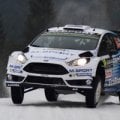

which tracks do you use?


They dont seem blurred on the Image. This how used discs will look 👍🏻
Thanks very much, will test this out!If anyone hasn't responded to this, yes there is a way. This is my go to code and format in the ext_config which I kinda toyed around to have that effect.
[BRAKEDISC_FX]
ACTIVE = 1
CERAMIC = 0 ; use ceramic look
CARVED = 1 ; add a bit of carving, radial lines (fast for shader to compute)
CARVED_FREQUENCY = 12 ; increase to make more lines
ALPHA_MASK = 0.0, 0.75
LUMINOCITY_MASK = 1.0, 0.0
NORMAL_MASK = 1.0, 0.0
REFLECTION_F0= 0.44, 0.06
REFLECTION_SHARPNESS=150, 200
[BRAKEDISC_FX_FRONT]
DISC_RADIUS = 0.192
DISC_INTERNAL_RADIUS = 0.123
GLOW_OFFSET= 1.0
[BRAKEDISC_FX_REAR]
DISC_RADIUS = 0.188 ; radius of a brake disc
DISC_INTERNAL_RADIUS = 0.121 ; radius of an inside part of a brake disc
GLOW_OFFSET= 1.0


The fix is only for the cockpit view and the value under "Main" (not "Outside main") should be changed from 10 to 16 (not 20 to 16). That works for me as only 6 cars in the middle of the field have no tires. My test car is the stock Kunos Lotus 49. You should check, whether you changed other LOD settings under "GRAPHICS ADJUSTMENTS" and reset it to default.Thanks Frank25, I changed 20 to 16 in GRAPHICS ADJUSTMENTS and in CSP, but it didn't help. Only 4 cars for me have wheels, all others up to the first have none. Maybe a setting for the distance is wrong.

Ferrari 500 Mondial Pinin Farina Coupe(v1.0) by F40 LM Lover
It is tested in CSP 2.5 Preview1
You need CSP latest Version
View attachment 1391009View attachment 1391010View attachment 1391011View attachment 1391012
1. 3d Model
1) Based on Gran Turismo 7 by Poly Pony Digital
2) Some Parts are from Forza Horizon 4
3) Converted by F40 LM Lover
2. Features
1) Exterior Animations
-. Left Door : Extra A
-. Right Door : Extra B
-. MOTOR Hood Open : Extra C
-. Quarter Window Open : Extra D
-. Fog Lights : Extra F
2) Interior Animations
-. GAS, Brake, Clutch Pedal with Feet : Don't need Key assign
-. Trun Signal Switch with Arm & Hand : need Key Assign
-. Lighting Signal Switch with Arm & Hand : need Key Assign
-. Windows Open with Arm & Hand
-. Fog Light with Arm & hand
-. H-Pattern Shifter with Arm & Hand
-. Horn With Arm & Hand
3. Physics : F40 LM Lover
4. Sounds : Kunos' 250 GTO
5. Download Link is in the description of video.


Charging money for Forza models sure is a business strategy these days it seems. Should just start extracting all the Forza models and sell them on gumroad, Would make bank it appears.Don't know how many know about this car pack, I only found them recently because a group I race online with is big into the US Trans Am series, but a pack for the TA Class was released a little bit ago (another car added to the pack last week). They're actively being developed, not by me, but the creator is active on social media / discord. And unless I missed another mod I think it's the first time we get to play around with the top spec in the US Trans Am series in AC.
View attachment 1391187
Only limited time using them (no races yet), but they're a lot of fun to throw around. They're a bit different from the VRC TA2 cars if you've ever driven those, a bit more grip and power to deal with, better braking, less body roll, but still will bite hard you if you're not careful. I believe all the cars in the pack are the same under the hood power and physics wise, but you (currently) have 5 "shells" to choose from. Here is a link if anyone wanted - https://vr506.gumroad.com/l/transam_pack


No fix here sadly, but just wanted to chime to say I've been noticing the same thing recently (most recent csp preview). Pretty much have the same settings you have there too. Was working fine previously (adds awesome detail if anyone doesn't have it on)
Don't know how many know about this car pack, I only found them recently because a group I race online with is big into the US Trans Am series, but a pack for the TA Class was released a little bit ago (another car added to the pack last week). They're actively being developed, not by me, but the creator is active on social media / discord. And unless I missed another mod I think it's the first time we get to play around with the top spec in the US Trans Am series in AC.
View attachment 1391187
Only limited time using them (no races yet), but they're a lot of fun to throw around. They're a bit different from the VRC TA2 cars if you've ever driven those, a bit more grip and power to deal with, better braking, less body roll, but still will bite hard you if you're not careful. I believe all the cars in the pack are the same under the hood power and physics wise, but you (currently) have 5 "shells" to choose from. Here is a link if anyone wanted - https://vr506.gumroad.com/l/transam_pack
Had to whip up this quick skin once I saw this livery for the Mustang in online photos
View attachment 1391186Trans Am 2023 #20 Chris Dyson - TA Ford Mustang
Here is a quick recreation of Chris Dyson's #20 Ford Mustang (image found in an article about his own racing team website launch in 2023). Link to the car (and full pack) can be found in the download (actively being developed VR506 Simulation...www.overtake.gg
Here's an onboard for a lap around Road Atlanta to give you an idea on how they drive

Thanks for the reply.Not sure if someone has answered you yet but it's the csp version, some tracks (and cars apparently) are not compatible with it for whatever reason and you'll need to downgrade to a lower version.

Thanks Joe.Track has been updated to version 3.1. Use the link in the quote to get the new version.
You might want to make a backup of your existing track folder first in case you don't like the changes. I believe it is safe to drag the contents folder to the root 'assettocorsa' directory and overwrite when it asks, but I would suggest disabling and deleting any of my previous track skins first.
-- Grass texture changes. I was never very happy with how the grass looked. This version I like much better. It's the grass texture setup I made for Pittsburgh International and it looks more natural, at least on my end.


CSP uses this flag for guessing some parameters if not set explicitly (for example, for how sparks or tyres would look, or even how car is rendered in rendering queue) by default it tries to detect this value from tags in “ui_car.json”Is there a real reason why the “open wheeler” tag bs is still on?
TriesteThe second one is Feldbergring, the third is Fonteny reverse, both by the legend FatAlfie.
Not sure about the first one but it has prominent Simtraxx branding.

Any Fix ?I think it's better if you can send me your mod, because it goes from bad to worst on my side.
View attachment 1390715


can u maybe share ur updated ext config with us all?I installed some update / improvement which were shared some days ago, maybe that´s the reason for. Maybe someone else can check it too, otherwise I just delete the ext_config from your skin folder.
Edit: decreased the value of the diameter from 0.243 to 0.200 and now it´s fine.
View attachment 1389967

Technically, no track skin needs to be enabled. The included ones are optional for those that might like a different look. The Grass Darker one just makes the default grass slightly darker. The Grass Green one takes away the patchy grass look and makes everything lush and green.Thanks Joe.
Just one question, since there are multiple grass skin options which one is the updated one? or are they all updated? or do you mean the skins are not needed as you have updated the original/default grass?
 www.gtplanet.net


Charging money for Forza models sure is a business strategy these days it seems. Should just start extracting all the Forza models and sell them on gumroad, Would make bank it appears.

Thats ADAC GT-MastersFord GT "TOI TOI" livery close-ish replica
!! Choose weather you want with or without AO and drag that "content" folder over to CM and install !!
I will be honest and say i have no idea what class this is i am guessing "DTM" due to the race plate but i have no idea i just skinned it. Names are not accurate i couldnt find anything online and the pictures i was skinning from were not the best quality.
this car is mapped like pee pee but its still better than the VRC Mondeo (just)
There is an ext_config in the skin folder that takes care of the brightness adjutsment so no need to mess around with shader values (i should of done this before on other uploads)
i cannot get the number 38 visible from the inside as there is no map i also cannot cover the foglights over due to mapping
Link to GT3Masters car is in the download.
ADAC GT - Master's Ford GT "TOI TOI" close (ish) replica
Car: https://mega.nz/file/T0ZGDCrC#osucHWp-fQ3d_psTFKh5hJIr3mZ3L92rmjHioAUDiK8 please install my update (if you want white headlights) after you have installed this main download first. !! Choose weather you want with or without AO and drag...
View attachment 1391415
View attachment 1391416